BLE Scanner
About
BLE Scanner is a command-line tool for scanning nearby Bluetooth Low Energy (BLE) devices on Windows. The application supports two primary modes:
-
Print Mode: Scans BLE advertisements and prints results to the console, with an option to export them to a JSON file.
-
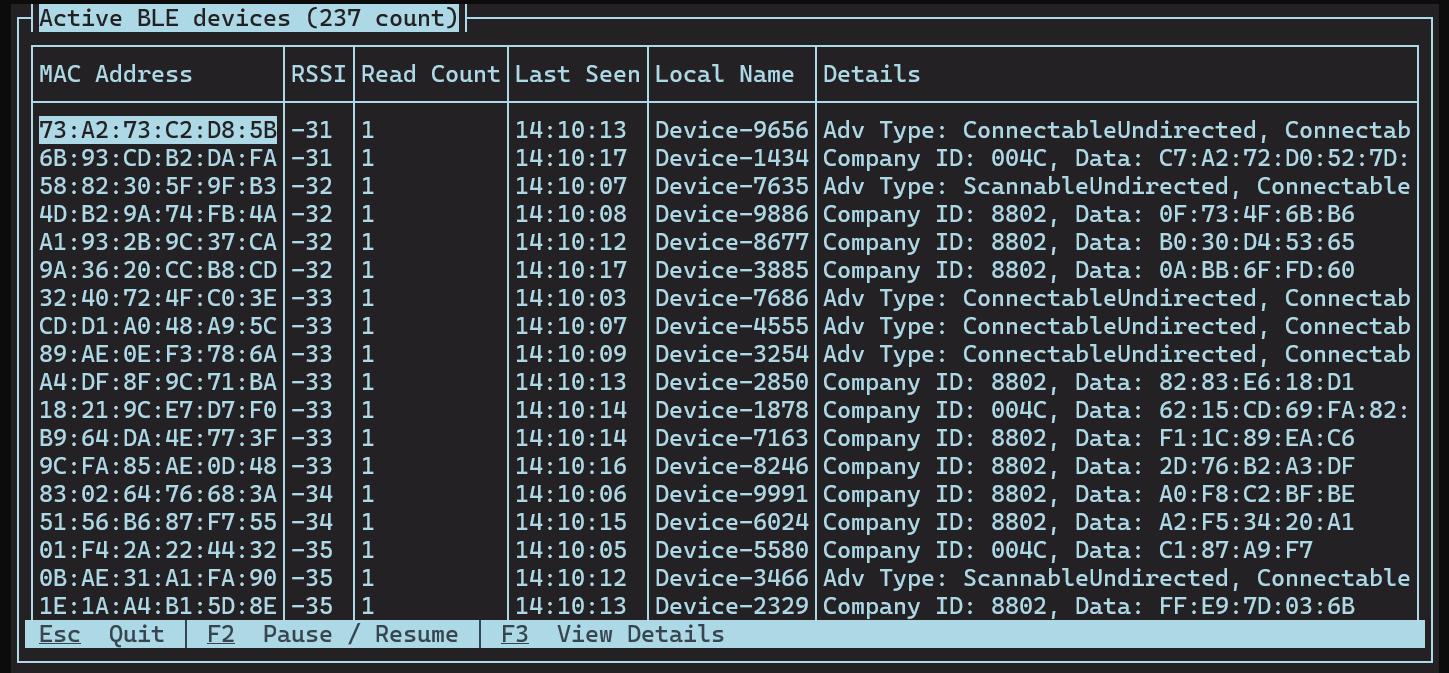
Top Mode: Displays the closest BLE devices in a table, ordered by signal strength (RSSI).
System Requirements
- Windows 10 or newer
- .NET 9 Runtime
Installation
On Windows, BLE Scanner is available as a Scoop package, which automates installation and upgrades.
Using Scoop, installing the application is as easy as:
> scoop bucket add ble-scanner-cli https://github.com/relbis-labs/ble-scanner.git
> scoop install ble-scanner-cli
Usage
View Available Commands
Run the following to see available commands:
ble-scanner-cli
Example output:
BLE Scanner 1.0.0

BLE Scanner scans nearby Bluetooth Low Energy devices.

Usage: ble-scanner-cli [command] [options]

Options:
  --version     Show version information.
  -?|-h|--help  Show help information.

Commands:
  print         Scans BLE devices and prints the results to the console and a file.
  top           Scans BLE devices and displays them in a table ordered by RSSI in descending order.

Run 'ble-scanner-cli [command] -?|-h|--help' for more information about a command.
Scan BLE devices and print results
Run the following command:
> ble-scanner-cli print
Example output
...
{
   "Advertisement": {
      "DataSections": [
         {
            "DataType": 1,
            "Data": "42"
         },
         {
            "DataType": 255,
            "Data": "99:E3:EB:D8:F7:09:3F:9E:FE:C4:75:3C:C1:D9:B7:19:41:7E:BA:45:0A:15:8D:CC:DB"
         }
      ],
      "Flags": 6,
      "LocalName": "Device-4452",
      "ManufacturerData": [
         {
            "CompanyId": "004C",
            "Data": "97:33:94:5F:42:3A:02:07:44:CA:3E:CE:BC:4C:53:81:79:A0:0F:F2:4D:27:B8",
            "iBeacon": {
               "Uuid": "dd10efd2-1380-4afc-add4-a9edd937c5f8",
               "Major": 22338,
               "Minor": 45676,
               "TxPower": -59
            }
         }
      ],
      "ServiceUuids": [
      ]
   },
   "AdvertisementType": 0,
   "BluetoothAddress": "15:91:85:11:26:48",
   "BluetoothAddressType": 1,
   "IsAnonymous": false,
   "IsConnectable": true,
   "IsDirected": false,
   "IsScannable": true,
   "IsScanResponse": false,
   "RawSignalStrengthInDBm": -76,
   "Timestamp": "2025-08-25T14:06:22.0554039+01:00",
   "TransmitPowerLevelInDBm": null
}
...
Optional parameters:
--mac-address-filter <MAC Address>- Show only results from a specific MAC address.- Use
--output-file-name <File Name>- Save results to a JSON file.
Scan BLE devices and display devices with the strongest signal at the top
Run:
ble-scanner-cli top
The screen will display a live-updating grid of detected devices, ordered by signal strength.
Example:
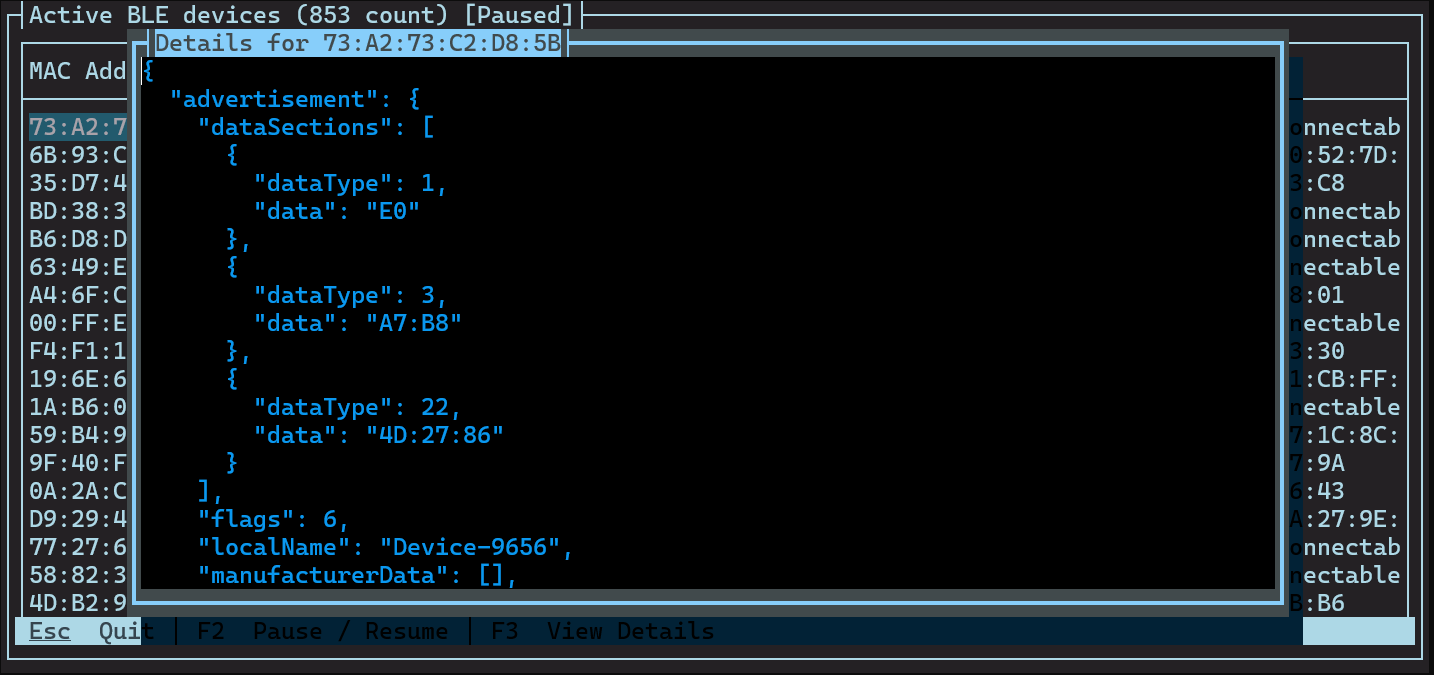
To view details of a device, select it and press F3.
Example:
Troubleshooting
Problem: The application cannot start scanning.
Solution: Ensure your system has a compatible Bluetooth adapter and that Bluetooth is enabled.
Changelog
See Releases
Data Collection
BLE Scanner may collect basic usage statistics for diagnostic purposes. It does not collect personal data or any information from scanned BLE devices.
Have a question or suggestion?
There is more than one way to start a conversation:
- Create a post in our Reddit community.
- Fill out the form.
- Send us an email: info@relbis.com