Stream Forwarder
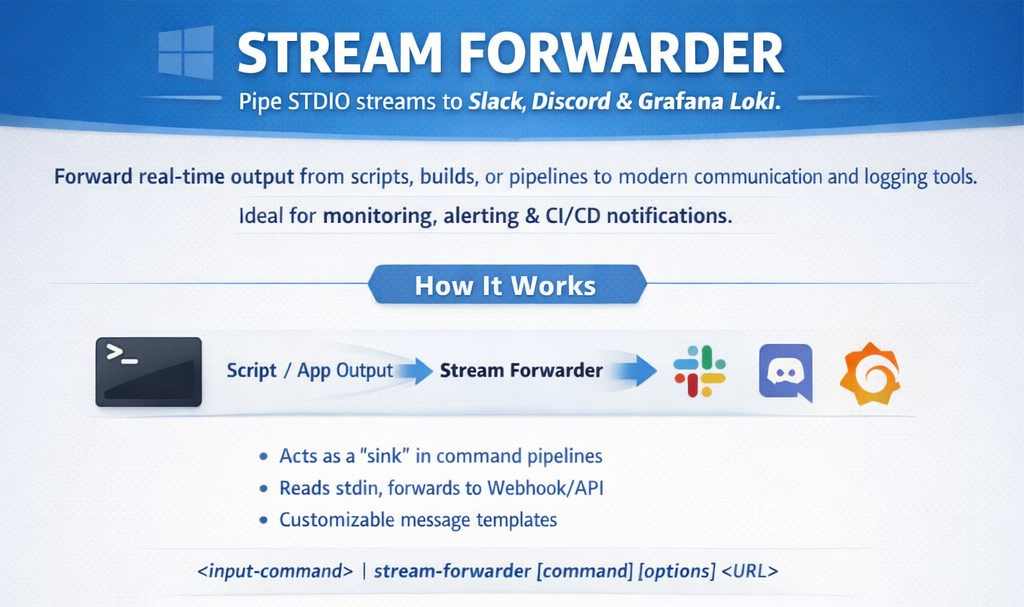
Stream Forwarder is a high-performance Windows command-line utility designed to pipe standard input stream directly to modern communication and logging platforms including Slack, Discord, and Grafana Loki.
It is ideal for monitoring long-running scripts, forwarding build logs, or creating simple notification triggers within CI/CD pipelines.
Installation
- Stream Forwarder is available for Windows via Scoop. To install, add the official bucket and install the package:
scoop bucket add stream-forwarder https://github.com/relbis-labs/stream-forwarder.git
scoop install stream-forwarder
- Verify the installation by checking the version:
stream-forwarder --version
Core Concepts
The application operates as a "sink" in a command pipeline. It listens for data on the Standard Input (stdin) and forwards every line or batch of data to a configured webhook or API endpoint.
Basic Syntax
<input-command> | stream-forwarder [command] [options] <URL>
Command Reference
Global Options
-
--version: Displays the current version and build number. -
-?|-h|--help: Shows help information.
Slack
Forwards input to a Slack incoming webhook.
Usage: stream-forwarder slack [options] <URL>
Arguments and options:
URL- The unique Slack webhook URL (e.g.,https://hooks.slack.com/...)-o | --output-to-console- Mirror the input back to the console window while forwarding.-t | --output-template <TEMPLATE>- Wrap the input in a specific string format. Default is{0}.
Discord
Forwards input to a Discord channel via webhook.
Usage: stream-forwarder discord [options] <URL>
Arguments and options:
URL- The Discord webhook URL (e.g.,https://discord.com/api/webhooks/...)-o | --output-to-console- Mirror the input back to the console window.-t | --output-template <TEMPLATE>- Format the Discord message. Default is{0}.
Loki
Forwards log streams to a Grafana Loki instance for centralized logging.
Usage: stream-forwarder loki stream-forwarder loki <LOKI-URL> --username <username> --password <password>
Advanced Formatting
The --output-template (or -t) flag allows you to structure the message before it reaches the destination. The placeholder {0} represents the raw data received from the stream.
Common Patterns:
- Status Reporting:
--output-template "Build Server: {0}" - Severity Tagging:
--output-template "[CRITICAL] {0}"
Examples
1. Simple Slack Notification
Send a success message once a task completes.
echo "Backup Completed Successfully" | stream-forwarder slack https://hooks.slack.com/services/T000/B000/XXXX
2. Monitoring a Log File
Pipe a tailing log file to Discord with console mirroring enabled.
Get-Content -Path "C:\logs\app.log" -Wait | stream-forwarder discord https://discord.com/api/webhooks/123 -o -t "Log Entry: {0}"
3. Piping Script Output
Forward the output of a custom Python script to Slack.
python my_script.py | stream-forwarder slack <WEBHOOK_URL> --output-template "Alert from Production: {0}"
Future plans
- Linux support.
- Support more platforms for sending messages.
Changelog
See Releases
Data Collection
The application may collect basic usage statistics for diagnostic purposes. It does not collect personal data or any information passed to the application via parameters or the standard input.
Have a question or suggestion?
There is more than one way to start a conversation:
- Create a post in our Reddit community.
- Fill out the form.
- Send us an email: info@relbis.com