Task Manager
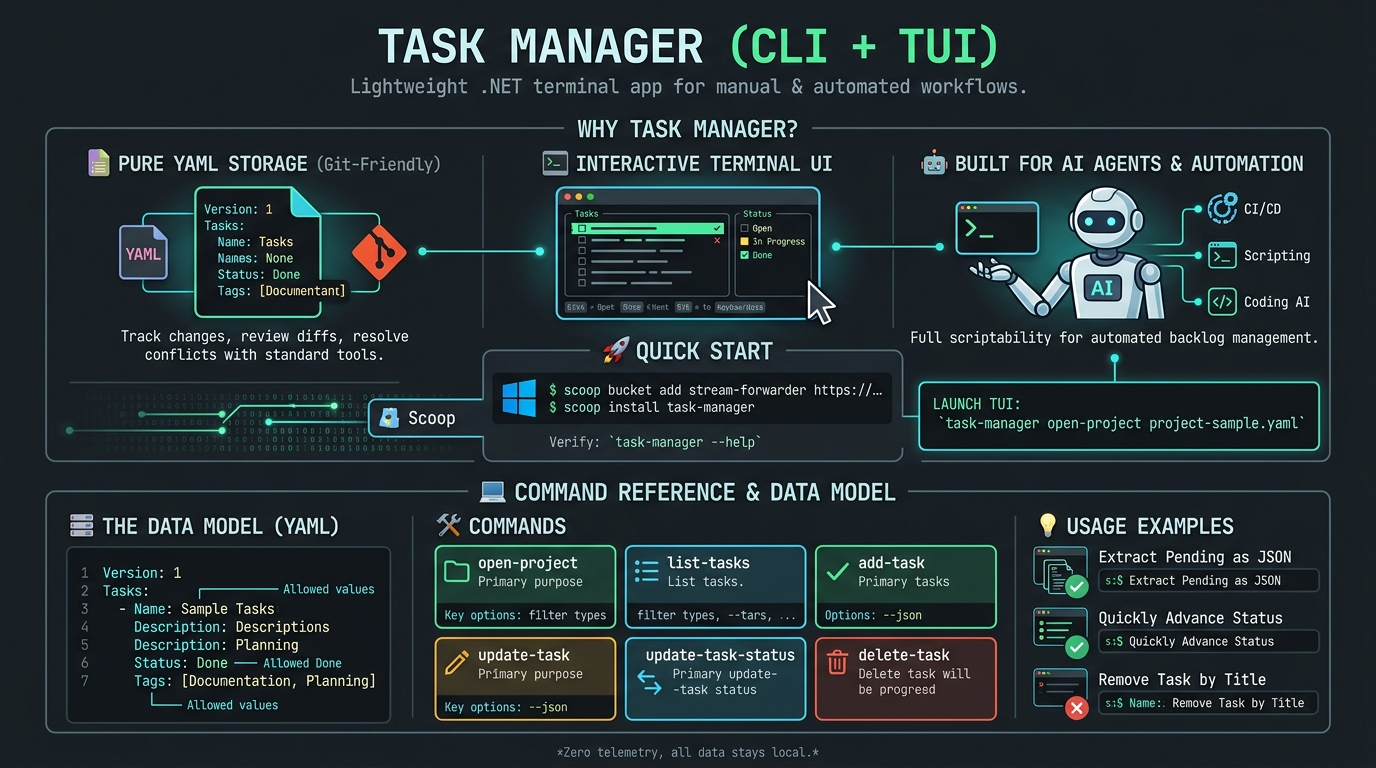
Task Manager is a lightweight, blazing-fast .NET terminal application that bridges the gap between manual task management and developer workflows. It gives you the best of both worlds: an interactive Terminal UI (TUI) for quick manual adjustments and a robust CLI designed for automation.
✨ Why Task Manager?
- 💾 Pure YAML Storage (Git-Friendly): Your tasks live right in your repository as a simple YAML file. Track changes, review task diffs in pull requests, and resolve conflicts using standard Git tools.
- 🖥️ Interactive Terminal UI: Don't want to type out full commands? Launch the TUI to browse, edit, and manage your tasks visually right inside your favorite terminal emulator.
- 🤖 Built for AI Agents & Automation: Full scriptability means you can add, update, or remove tasks via the command line. Easily integrate task management into your CI/CD pipelines, bash scripts, or connect it to AI coding agents to manage backlogs autonomously.
🚀 Quick Start
Installation (Windows via Scoop)
Add the Scoop bucket and install the package:
scoop bucket add relbis-labs https://github.com/relbis-labs/packages-scoop.git
scoop install task-manager
Verify the installation:
task-manager --help
Launch the TUI
Open your project in the interactive terminal UI:
task-manager open-project project-sample.yaml
🗃️ The Data Model
Tasks are stored in a human-readable YAML format. No hidden databases, no proprietary formats.
Version: 1
Tasks:
  - Name: Define project scope and objectives
    Description: Capture goals and expected outcomes.
    Status: Done
    Tags:
      - Documentation
      - Planning
Name: Required task title.Description: Optional details.Status:Open,In Progress, orDone.Tags: Optional list of labels.
💻 Command Reference
Basic Syntax
task-manager <command> [project-file] [options]
💡 Tip: If no project file is specified, commands automatically default to
project.yamlin your current working directory.
Global Options
--version: Displays the current version and build number.-?|-h|--help: Shows help information.
🛠️ Commands
open-project
Launches the interactive terminal UI for visual browsing and editing.
- Usage:
task-manager open-project [project-file]
list-tasks
Lists tasks as plain text or structured JSON for script parsing.
- Usage:
task-manager list-tasks [project-file] [options] - Options: *
--filter|-f <filter>(all,open,inprogress,done,pending) --json(Outputs raw JSON data)
add-task
Creates a new task. Perfect for automation scripts.
- Usage:
task-manager add-task [project-file] --name <name> [options] - Options:
--name|-n,--description|-d,--tag|-t(repeatable),--status|-s
update-task
Updates one or more fields of an existing task using a 1-based index or exact name.
- Usage:
task-manager update-task [project-file] --task <selector> [options]
update-task-status
A streamlined command explicitly for moving tasks through your workflow.
- Usage:
task-manager update-task-status [project-file] --task <selector> --status <status>
delete-task
Removes a task from the project file.
- Usage:
task-manager delete-task [project-file] --task <selector>
💡 Usage Examples
1. Launch the TUI Workspace
task-manager open-project .\project.yaml
2. Pipe New Tasks via CLI (Great for Scripting/AI)
task-manager add-task .\project.yaml --name "Prepare release notes" --description "Summarize key changes for v1.0" --tag release --tag docs --status "In Progress"
3. Extract Pending Tasks as JSON for External Tools
task-manager list-tasks .\project.yaml --filter pending --json
4. Quickly Advance a Task Status
task-manager update-task-status .\project.yaml --task 2 --status Done
5. Remove a Task by Its Title
task-manager delete-task .\project.yaml --task "Prepare release notes"
🗺️ Roadmap
- Richer filtering, sorting, and search workflows inside the TUI.
- Expanded task metadata (due dates, priorities, and assignees).
- Multi-platform native binaries (Mac/Linux support).
🔒 Privacy & Data Ownership
Task Manager includes zero telemetry, tracking, or external analytics. Your data never leaves your machine; it stays where it belongs — locally in your repository.
📄 Changelog
Stay up to date with our latest features by checking the Releases page.
Have a question or suggestion?
There is more than one way to start a conversation:
- Create a post in our Reddit community.
- Fill out the form.
- Send us an email: info@relbis.com